

Creating and Managing API Keys
API keys authenticate your requests to the Kintsugi API. This guide will walk you through creating, managing, and securing your API keys with screenshots and step-by-step instructions.
Create Your First Key
Generate an API key in just a few clicks
Security Best Practices
Keep your keys secure and compliant
API Reference
Explore our comprehensive API docs
Test Your Key
Verify your API key works correctly
Create and manage keys in the Kintsugi app
Create and manage your API keys in the main Kintsugi app.Sign Up or Log In
1
Visit the Kintsugi Platform.
2
If you don’t already have an account, click on the Sign Up button and follow the instructions to create an account.
3
If you already have an account, click on the Log In button and enter your credentials to access the platform.
Navigate to Configuration Section
1
After logging in, locate the Configuration option in the bottom-left corner of the sidebar.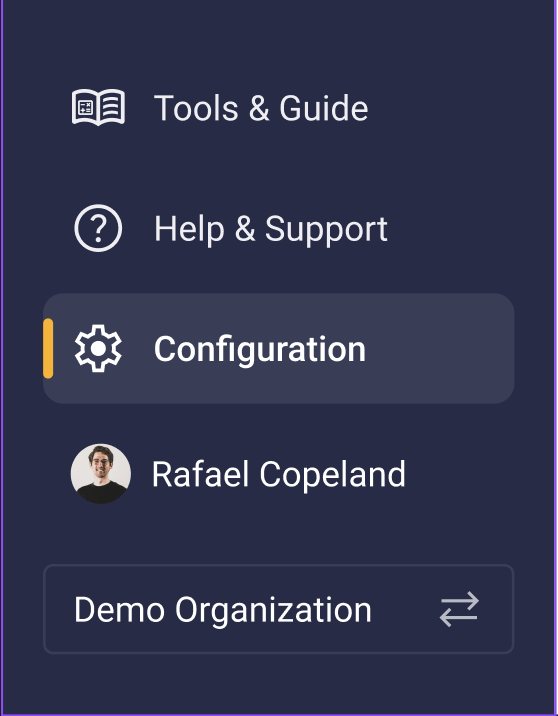
2
Under the Configuration Section locate API Keys as shown in the screenshot below.
Access the API Keys Section
1
Once in Configuration Section click API Keys section.
2
Here, you can search, manage, and generate new API keys for your organization.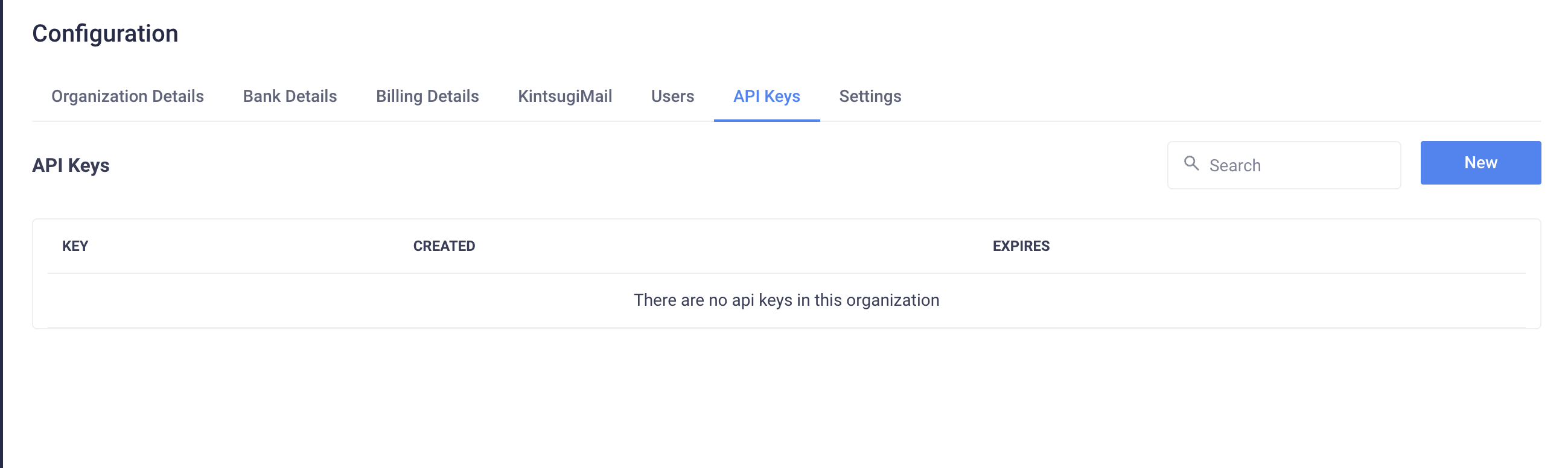
Create a New API Key
1
Click the New button to generate an API key.
2
Once you click on New, you’ll be prompted to select the expiration time for the API key.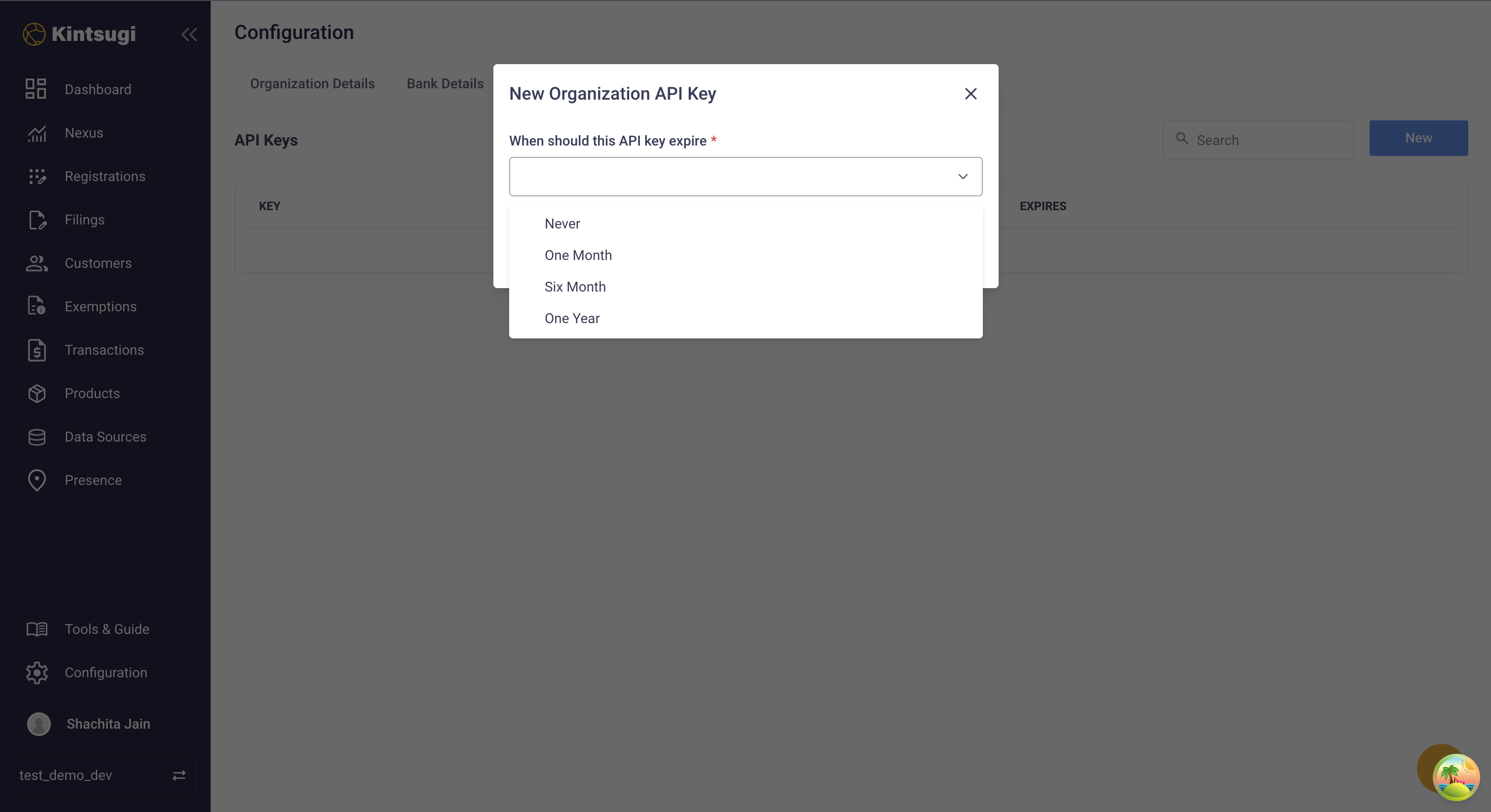
3
Choose the expiration period that suits your needs. For example, if you want the key to be valid for a year, select One year.
Copy and Secure Your API Key
- Copy the API Key Immediately.
1
Click the copy icon or Manually copy API key button to copy the key.
2
You will not be able to view this key again, so ensure you store it in a secure location.
3
After copying, click Done to exit the popup.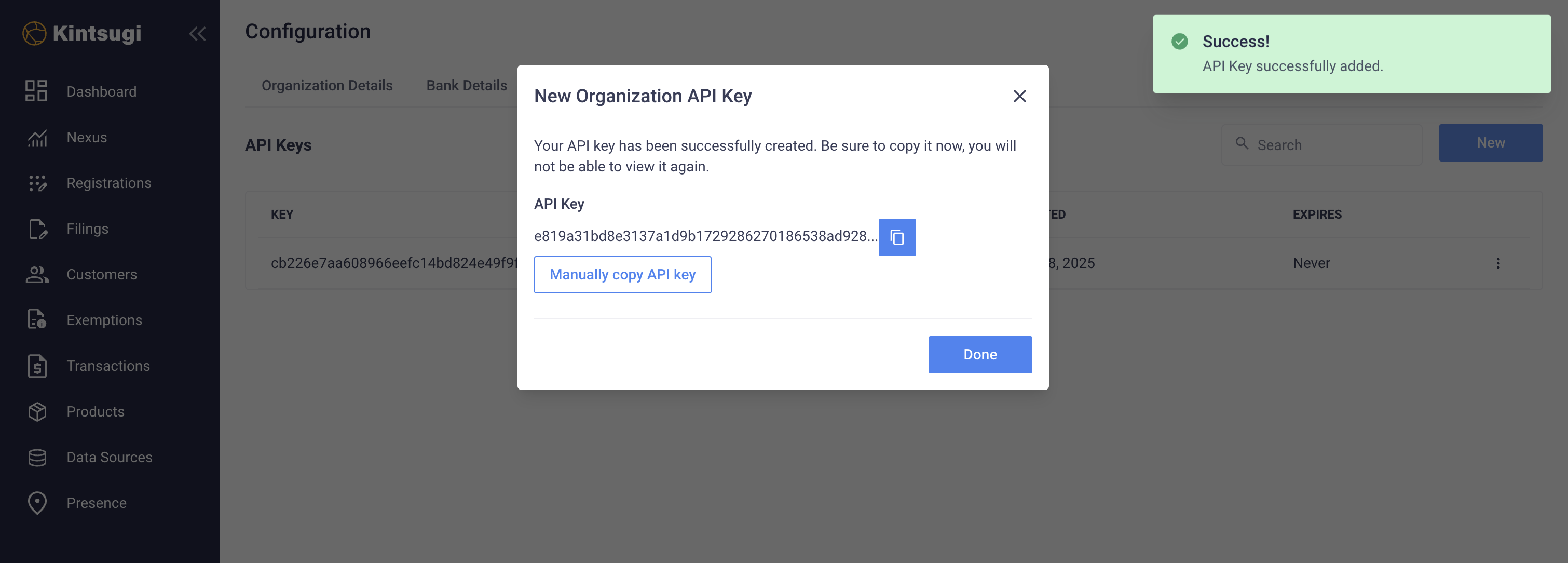
Viewing and Managing Your API Keys
1
You can view all generated API keys along with their Key, Created Date, and Expiry Status.
2
Use the search bar to quickly find a specific key.
3
To delete a key, click the three-dot menu (⋮) next to it and select Delete API Key.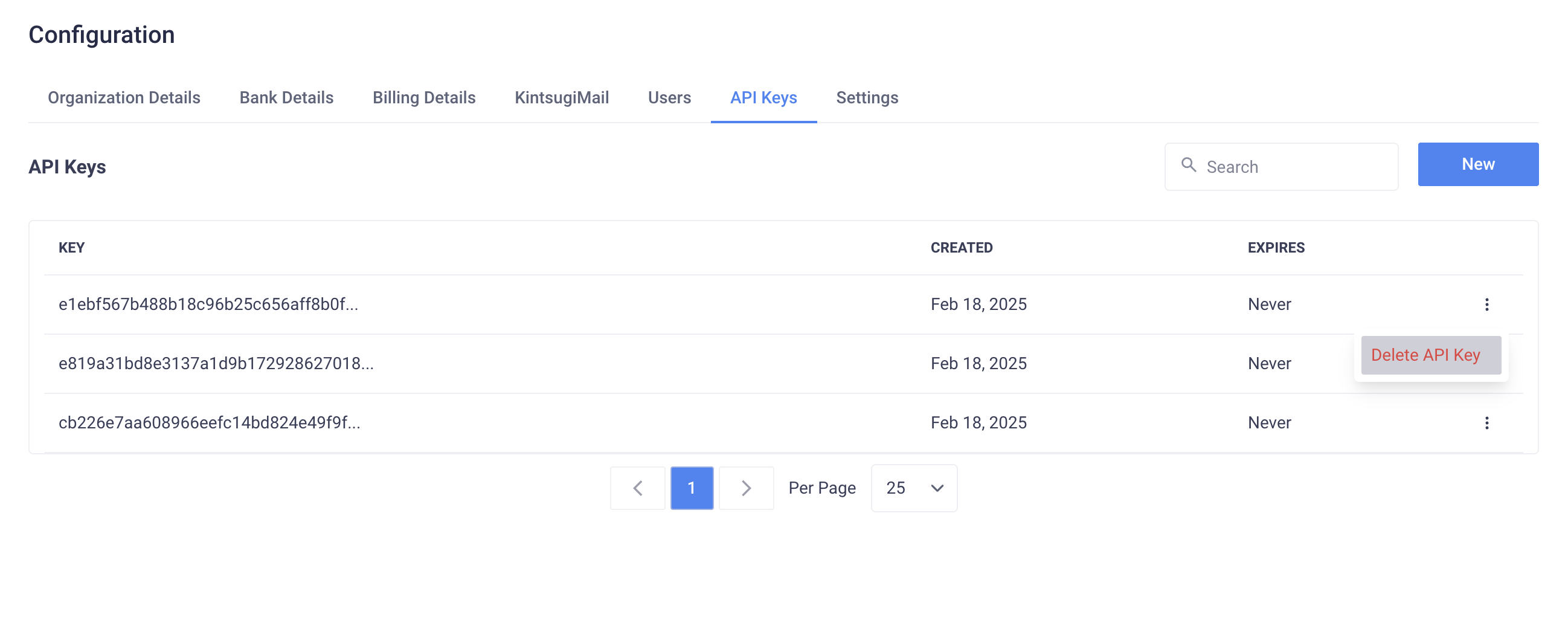
Users can only create API keys within a Test Organization or a Paid Organization. Creating API keys in other organization types is disabled.
Next Steps
Test Your Key
Verify your API key works correctly
API Reference
Explore available endpoints
Integration Guides
Connect your applications
Need Help?
Common Issues
Common Issues
- Key Creation
- Key Management
- Security Concerns
- Can’t find API Keys section: Check you’re in a Test or Paid organization
- Permission denied: Contact your organization admin
- Key not generating: Try refreshing the page and try again
- Expiration options: Choose based on your security requirements
Get Support
Get Support
Email Support
Get help from our support team
Live Chat
Chat with us in real-time
API Documentation
Browse our comprehensive API docs
Developer Community
Connect with other developers