> ## Documentation Index
> Fetch the complete documentation index at: https://docs.trykintsugi.com/llms.txt
> Use this file to discover all available pages before exploring further.
# Making Authenticated Request
> Describes how to use API Key and x-organization-id to make an authorized request.
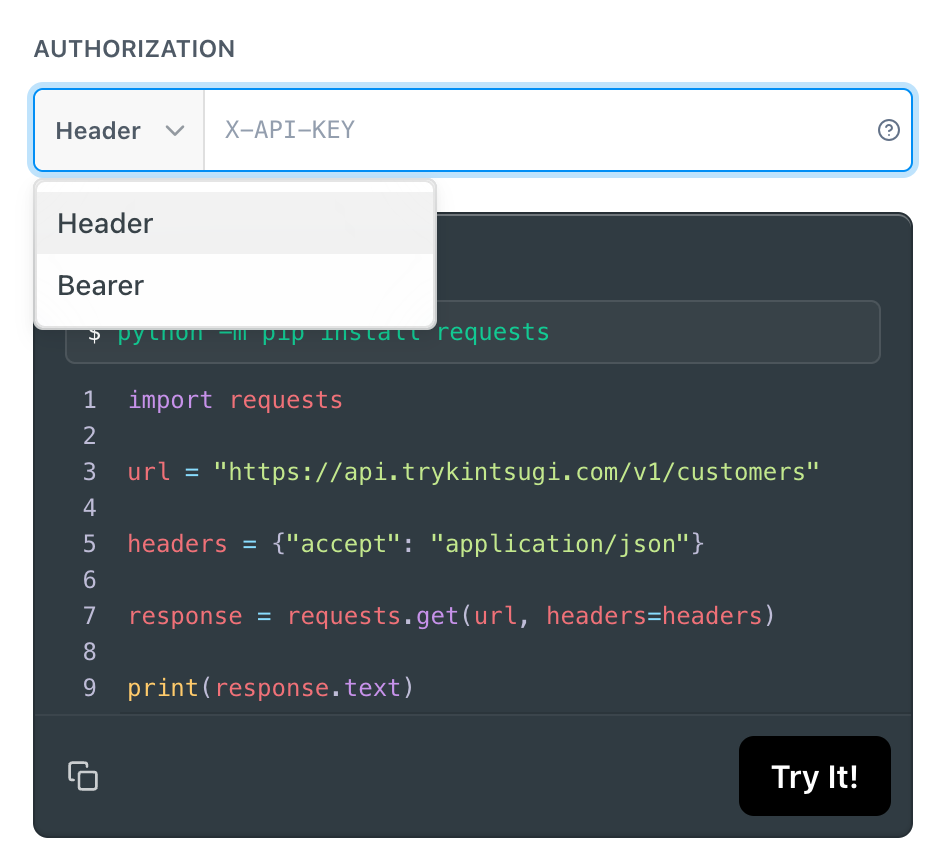
**Important**: Kintsugi uses API key authentication via headers, **not** bearer token authentication. You must include both the API key and organization ID in request headers.
## Prerequisite
Make sure you have an API key. Refer [Creating and managing API Keys](/docs/creating-and-managing-api-keys).
Make sure you have your organization ID. You can find it in the **lower left-hand corner** after logging into the [Kintsugi Platform](https://app.trykintsugi.com).
## Making Requests
Now that you have the API Key and Organization ID, you're ready to make authorized requests to the Kintsugi API.
**API Key Header**: Set your API key in the header with the key `x-api-key` (lowercase with hyphens):
```bash theme={null}
curl -H "x-api-key: your-api-key" \
https://api.trykintsugi.com/v1/tax/estimate
```
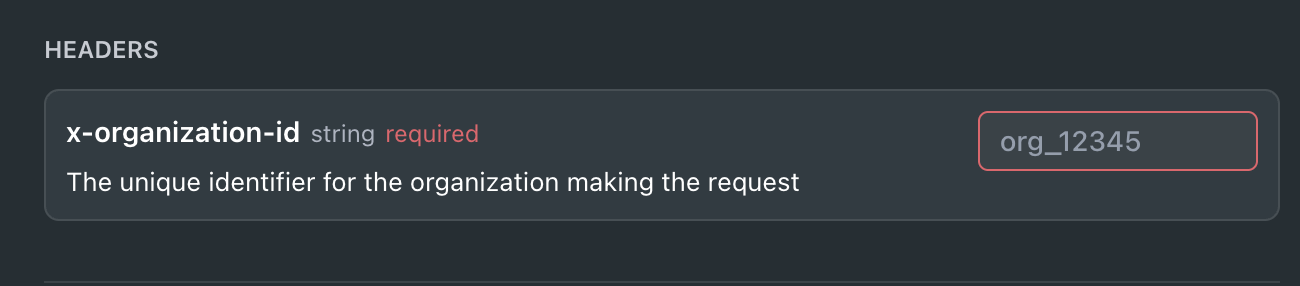
 **Organization ID Header**: For most requests, you also need to set the organization ID in the header with the key `x-organization-id` (lowercase with hyphens):
```bash theme={null}
curl -H "x-api-key: your-api-key" \
-H "x-organization-id: your-org-id" \
https://api.trykintsugi.com/v1/tax/estimate
```
**Organization ID Header**: For most requests, you also need to set the organization ID in the header with the key `x-organization-id` (lowercase with hyphens):
```bash theme={null}
curl -H "x-api-key: your-api-key" \
-H "x-organization-id: your-org-id" \
https://api.trykintsugi.com/v1/tax/estimate
```
 ## Authentication Format
Kintsugi API uses **header-based API key authentication**, not bearer token authentication. Every request requires:
1. **`x-api-key`** header with your API key
2. **`x-organization-id`** header with your organization ID
Both headers are required for authentication. The organization ID ensures requests are scoped to the correct organization.
## Finding Your Organization ID
Your Organization ID can be found in the **lower left-hand corner** of the Kintsugi Platform dashboard after you log in. It's displayed as a unique identifier for your organization.
## Authentication Format
Kintsugi API uses **header-based API key authentication**, not bearer token authentication. Every request requires:
1. **`x-api-key`** header with your API key
2. **`x-organization-id`** header with your organization ID
Both headers are required for authentication. The organization ID ensures requests are scoped to the correct organization.
## Finding Your Organization ID
Your Organization ID can be found in the **lower left-hand corner** of the Kintsugi Platform dashboard after you log in. It's displayed as a unique identifier for your organization.